Ethernet to RS-232 Converters
Keith Sproul
EMail ksproul@skychariot.com
I need to use serial devices frequently.
I am also designing some 8 bit computers that I want to talk to via the internet. Serial data is much easier to program
on 8 bit computers. Also the amount of code that would have to be written would take up the majority of the code space.
I started looking at devices and found either very expensive (> $75) or around $15-$20.
The cheaper units are usually from China, but they look very interesting. I have ordered several different units and will be documentation how to use them.
The first one I ordered had no documentation on line, but the seller sent me a bunch of information that I have put up here.
The second one had more documentation and looks a little easier to use. I am also putting its information here and will document it and compare the two.
I will also document any others I find. The third one (USR-TCP232-302) is MUCH easier to setup and use.
2023-04-21 I got the USR-TCP232-302 to work!!!
Taked to it from one computer via the serial port and 'screen'.
Talked to the other end using 'telnet'!!!
Keith Sproul
|
Keith's Dual 6502 Processor Project
|
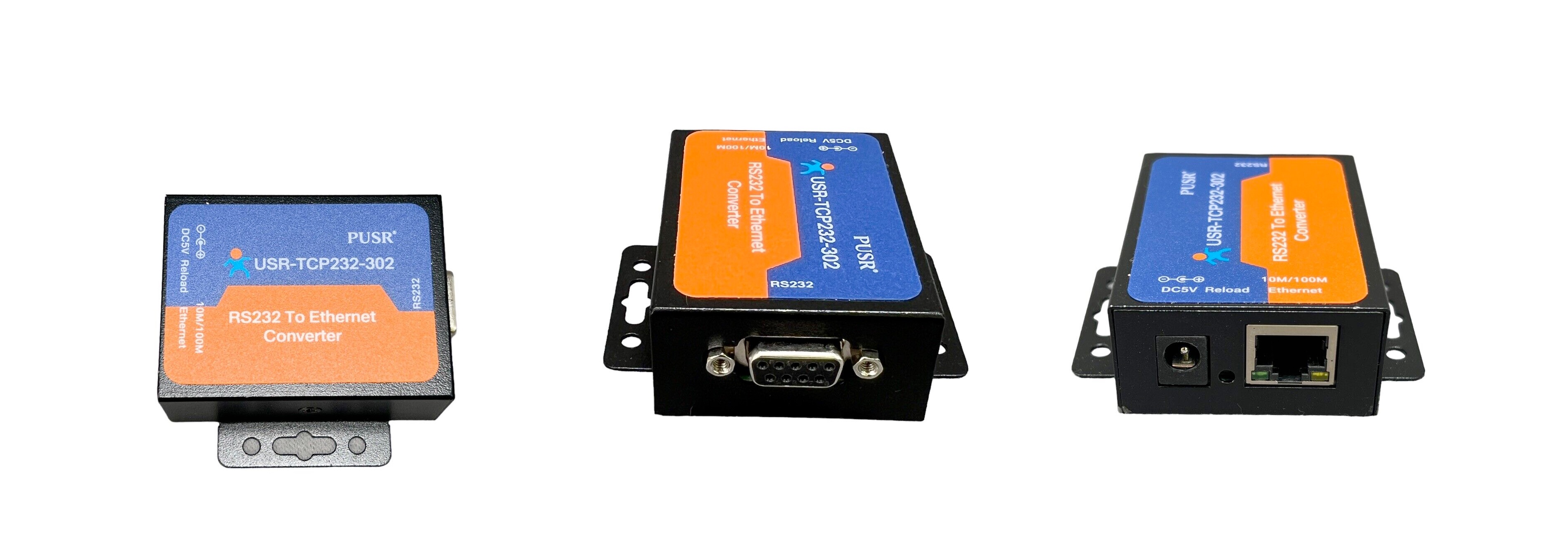
USR-TCP232-302 | Field | Default Value |
|---|
| IP Address | 192.168.0.7 | | Account | admin | | Password | admin | | 2023-04-20 GOT WORKING!!! |
|---|
|
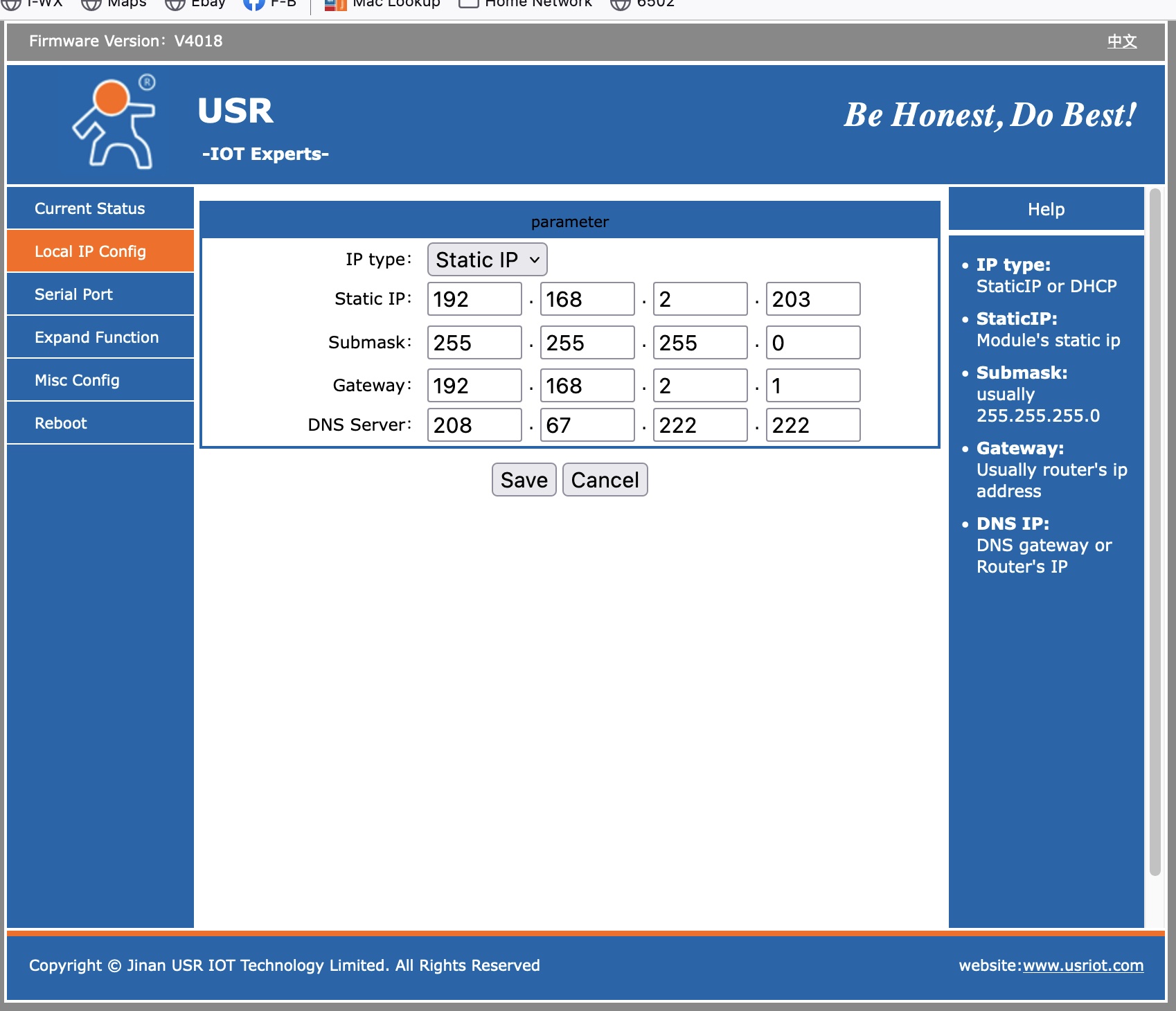
USR-TCP232-302 IP Config Screen
| Connect to the device by going to its IP address (default 192.168.0.7) | | http://192.168.0.7 | | Default account and password is admin / admin | | You have to set your computer to be on the same subnet as the device (192.168.0.0/24). | | Then connect to it using your favorite web browser | | Then, you can change its IP address to be on your subnet and set your computer back to its normal address and this will now be on the new IP Address. |
 |
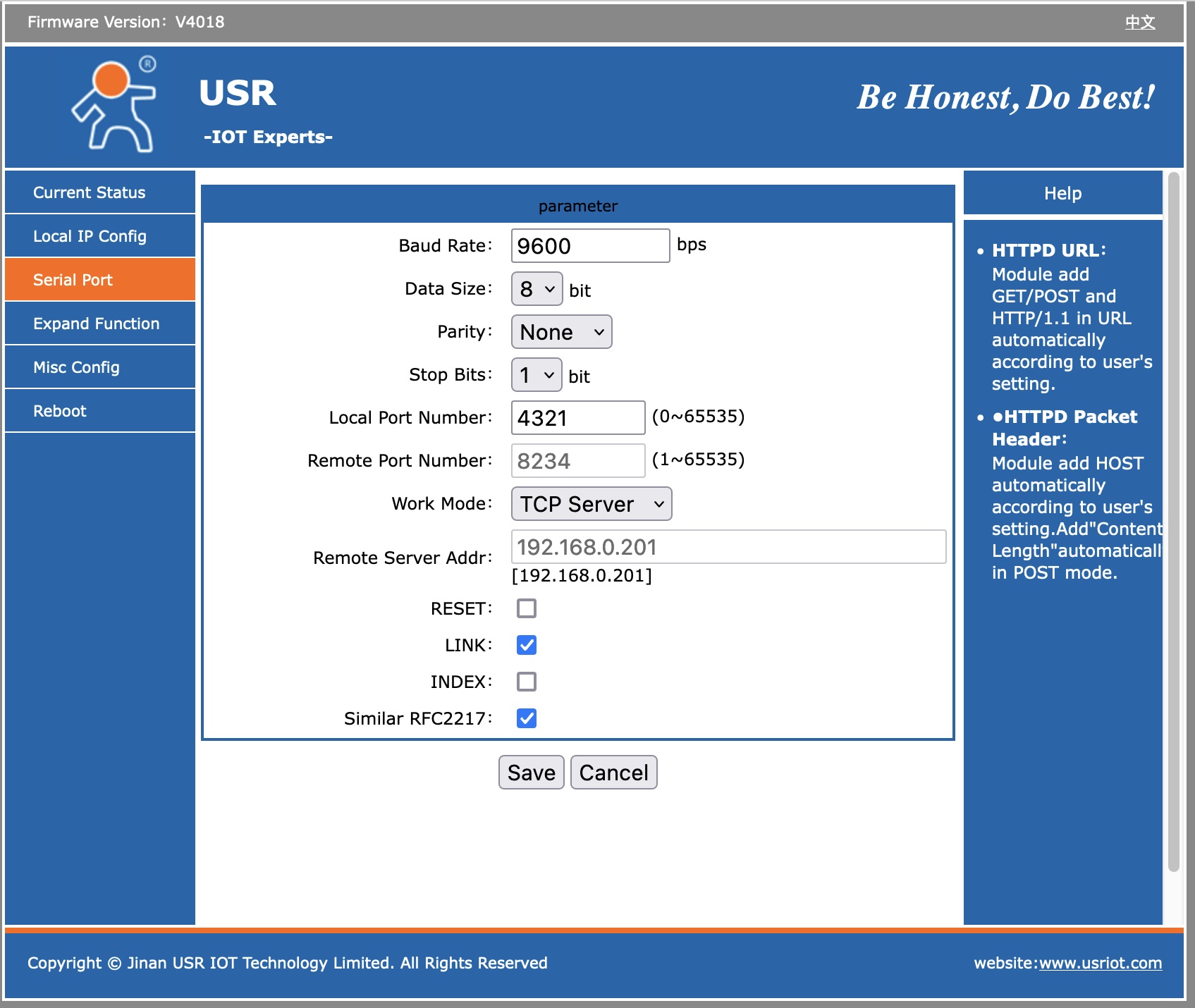
USR-TCP232-302 Serial Port Config Screen
| Value | Setting |
|---|
| Baud Rate | 19200 | | Data Size | 8 | | Parity | None | | Stop Bits | 1 | | Local Port Number | 23 (your choice) | | Remote Port Number | ignore | | Work Mode | TCP Server | | Remote Server Addr: | ignore | | Reset | | | Link | X | | INDEX | | | Similar RFC2217 | X |
Then you can connect to this device via
telnet (IP Address) (Port Number)
telnet 192.168.0.7 23
|
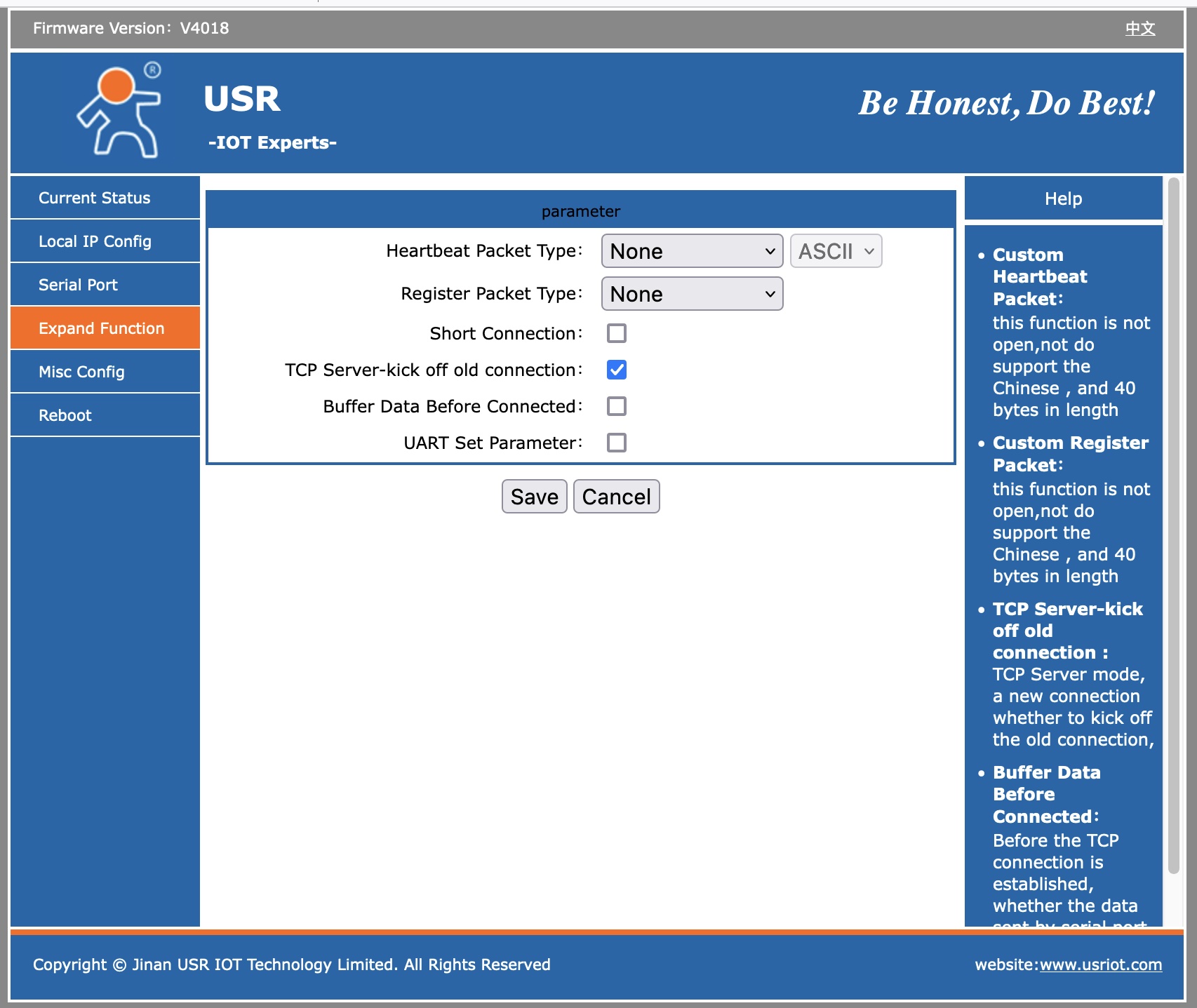
USR-TCP232-302 IP Seraial Port Screen 2
 |
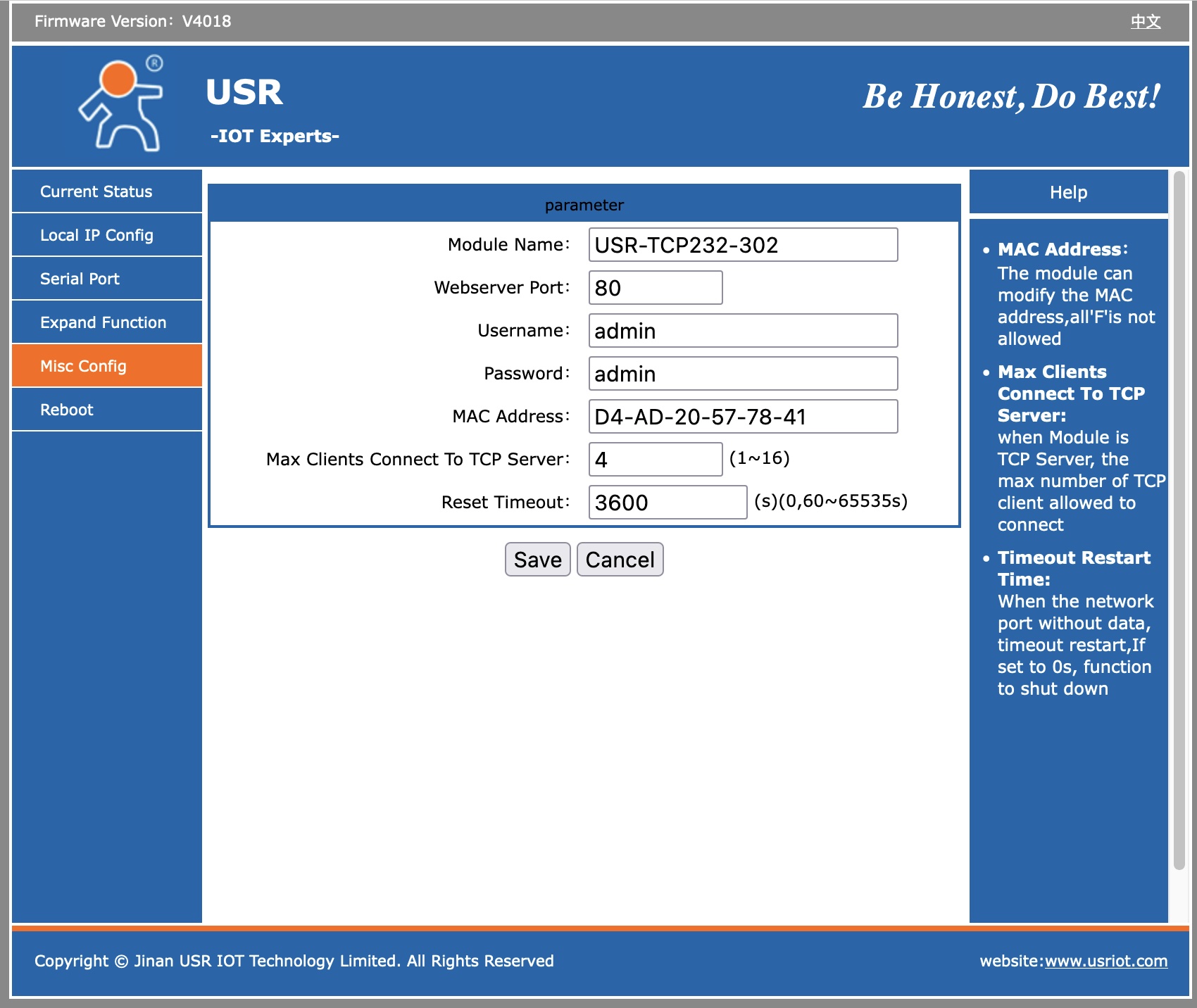
USR-TCP232-302 Admin Screen
 |
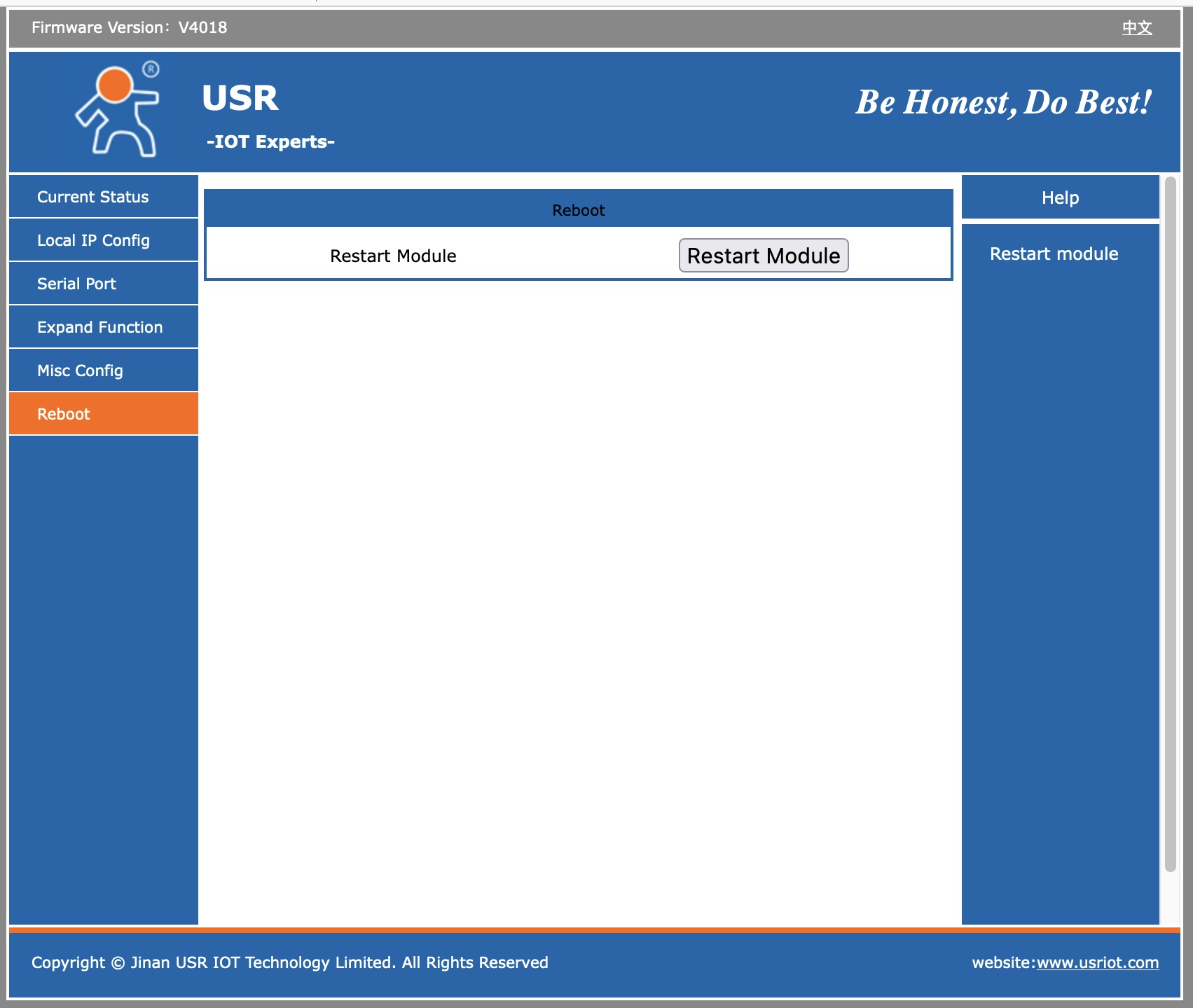
USR-TCP232-302 Reboot Screen
 |
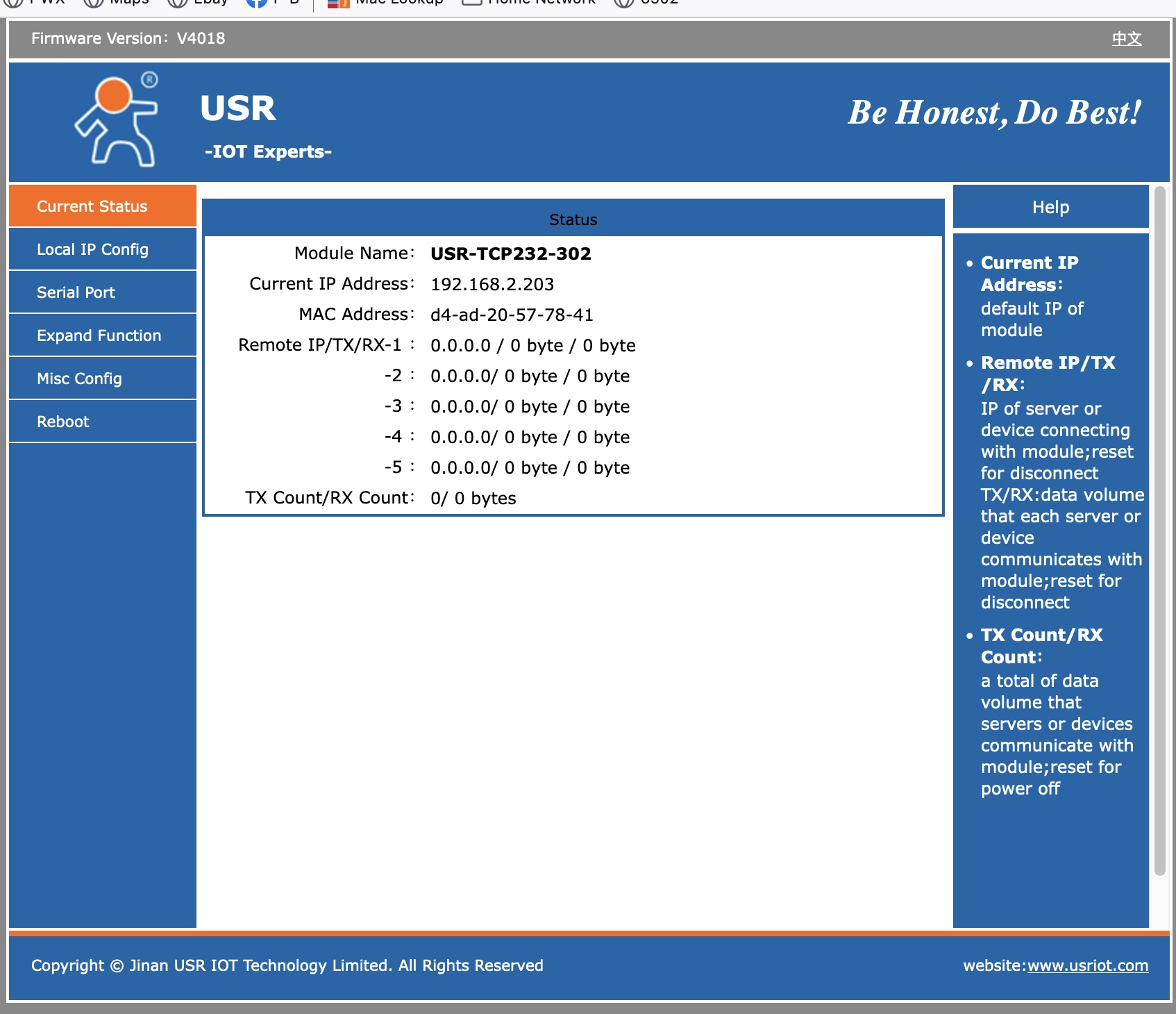
USR-TCP232-302 Status Screen
 |
USR-TCP232-T2 Product Details Back to Top
| Introduction of Ethernet Module |
|---|
Full documentation is availabe at factory website here
https://www.pusr.com/products/serial-to-ethernet-converter-modules-usr-tcp232-t2.html |
|---|
PDF document about product line
https://www.pusr.com/download/T24/USR-TCP232-T24-EN V3.2.5.pdf |
|---|
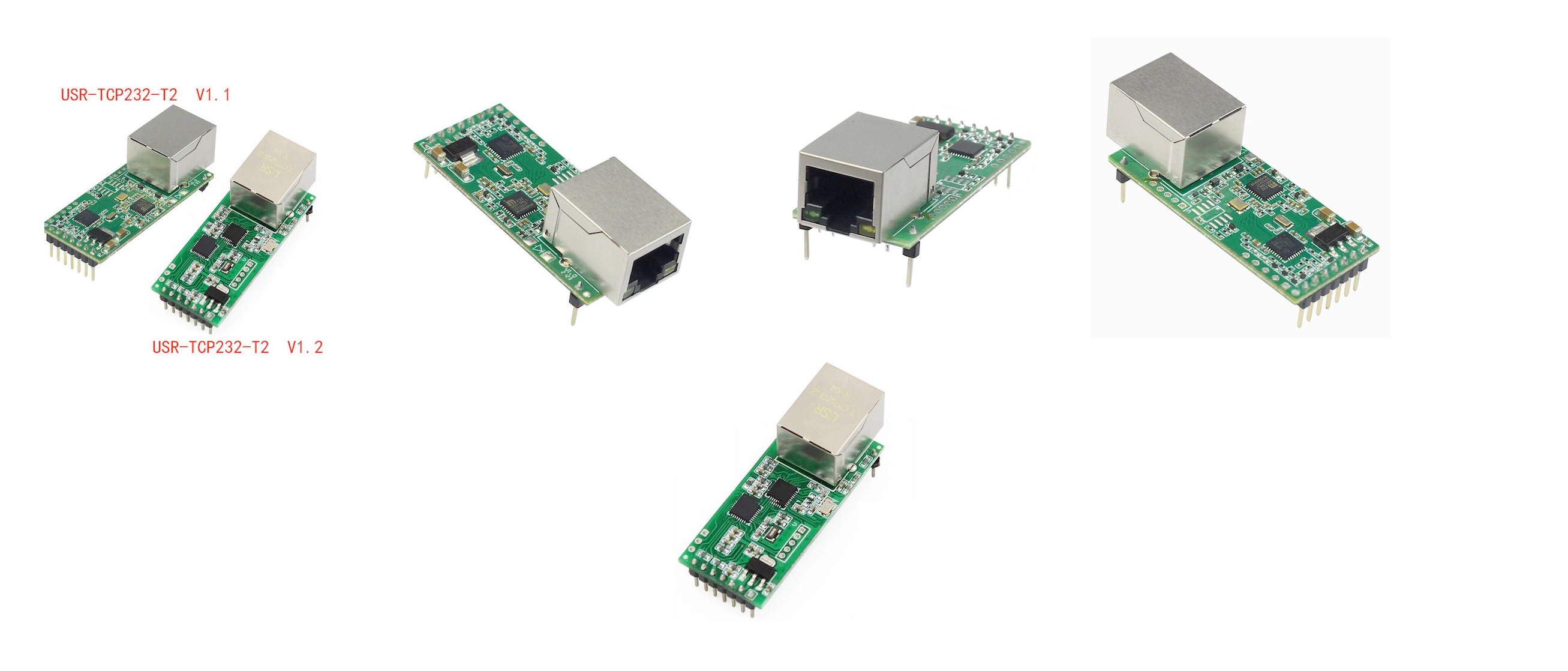
- USR-TCP232-T2 is a tiny size serial Ethernet module which can realize data bidirectional transparent transmission between TTL and RJ45 Port.
- It can also be applied in RS232/ RS485 by level shift circuit.USR-TCP232-T2 is based on Cortex-M0 core. It has characters of low power, fast speed and high efficiency. Feature of Ethernet Module
- Support DHCP, automatically obtain an IP address and query IP address through serial setting protocol
- Support DNS function
- Set parameters through webpage and serial AT command
- Upgrade firmware via network
- Auto-MDI/MDIX, RJ45 port with 10/100Mbps
- Serial port baud rate from 600 bps to 460.8 Kbps, Check bit of None,Odd,Even,Mark and Space
- Work mode: TCP Server, TCP Client, UDP Client, UDP Server, HTTPD Client
- Support virtual serial port and provide corresponding software USR-VCOM
- Heartbeat package mechanism to ensure connection is reliable, put an end to dead link
- User-defined registration package mechanism, check connection status and use as custom packet header
- Under TCP Server mode, Client number ranges from 1 to 16; default number is 4
- The global unique MAC address bought from IEEE, user can define MAC address
- Restore factory default
- Across the gateway, switches, routers
- Can work in LAN, also can work in the Internet (external network)
- Provide PC TCP/IP socket programming example such as VB,C++,Delphi,Android and IOS
- Support customization
| Application Field of Ethernet Module | - Industrial data transmission, industrial automation
- Security and protection monitoring, public security
- Smart home, power control, environmental monitoring, intelligent agriculture
- Door check on work attendance system, POS system, rice selling system
- Building automation system, power monitoring, self-service banking system, telecom machine room monitoring
|
 |
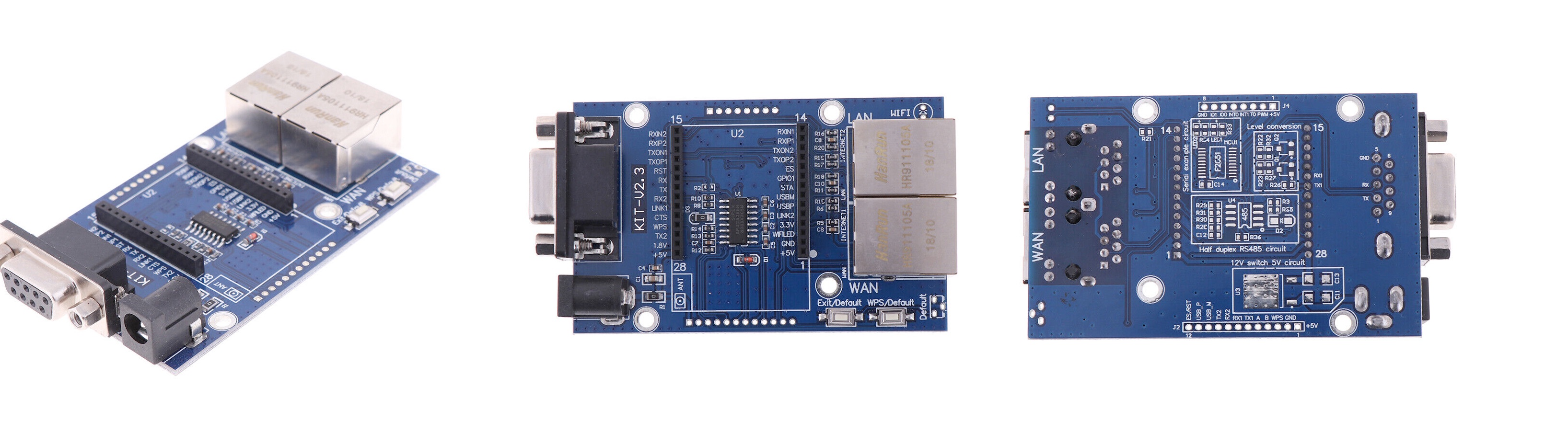
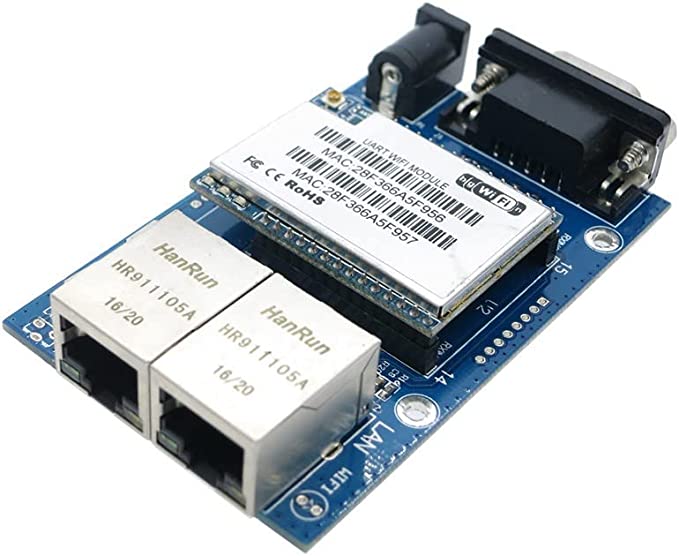
HLK-RM04 | By using the world's top network chip suppliers LeiLing Ralink solution, raw materials adopt TDK / / MURATA, big brands, stable and reliable basis | | 10/100 m adaptive Ethernet interface module integration, the serial communication baud rate up to 230.4 Kbps< | | Support wireless work in AP model and node (Station), the real hardware AP, support iPhone and android systems all WIFI connection, support functions of AP and Station online at the same time | | Optional TCP Server/TCP Client/UDP work mode, support network protocol: TCP/UDP/ARP, ICMP/HTTP/DNS/DHCP< | | Package Included: 1PCS*HLK-RM04 UART to WIFI Serial Port to WIfI Module Test Base Board TOP |
 |
 |
NNZN-TCP232-E-I018 Product Details
Disclaimer |
|---|
I am a user of this device. I bought it from China, and the people I bought from were very helpful. They sent me the documentation that is available here. I did not write any of that. However, I want to use this from a non-Windows environment so I took the documentation and have expanded on it. I have added sections on how to use this from a Macintosh and from Linux. I have written some command line Linux programs to configure the unit. If you have any questions, I will try to answer them, but no guarantees.
Keith Sproul | Description |
|---|
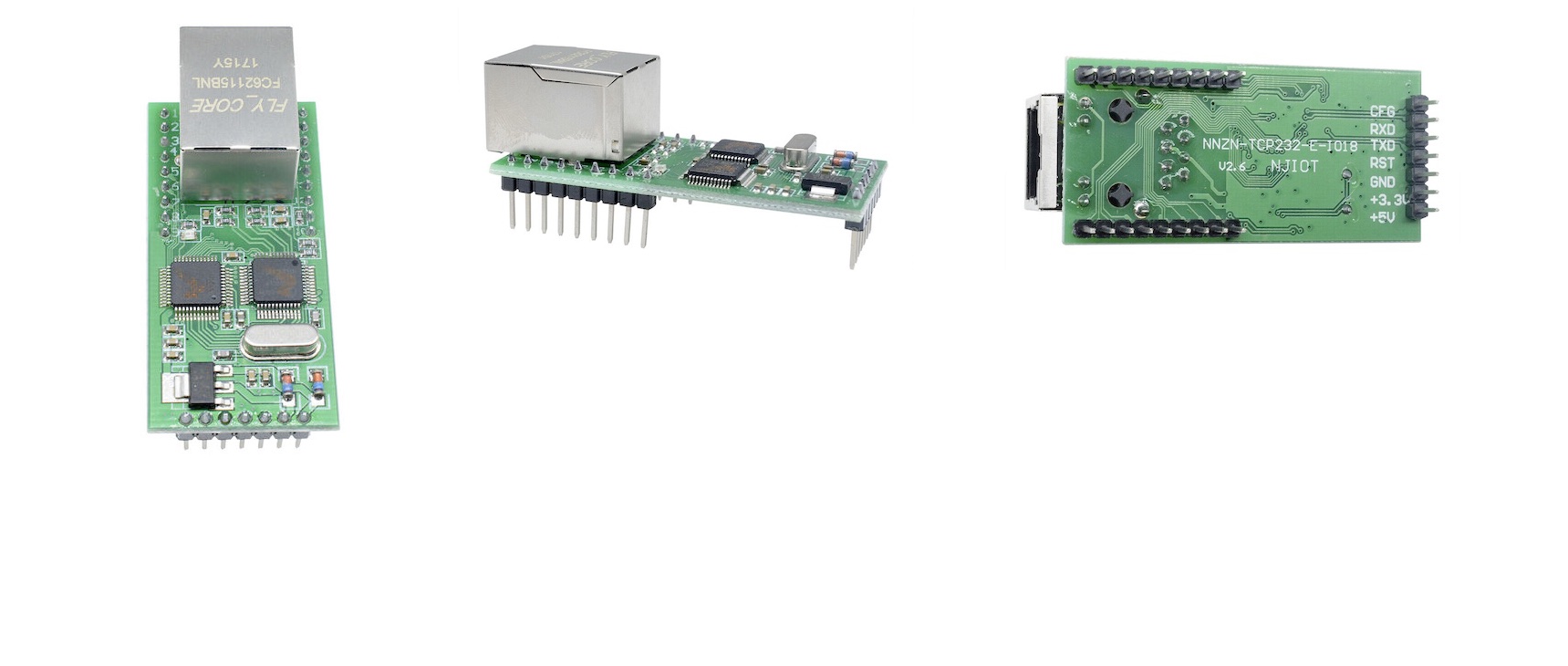
| This is the stable performance, cost-effective industrial grade embedded networking terminal, which uses eight processors, has a wealth of storage and management capabilities to provide TTL serial port to TCP / IP networks smooth bidirectional physical transmission channel, can easily pair networking original equipment upgrades. 8-bit processor, automatically detect 10M / 100m Ethernet, work TCP Client, UDP, TCP Sserver, UDP server, MODBUS TCP, MODBUS-RTU, MODBUS-ASCII other models. Support cross-gateway, across routing traffic. TCP SERVER mode supports four TCP link. It supports 18 IO network control Bidirectional serial server conversion module. | Features: |
|---|
- 100M high speed network card, 10/100M auto-adaption ethernet interface
- Support Auto MDI/MDIX, could use parallel/cross network connection
- UART baud rate 1200bps-4.6Mbps adjustable
- Work mode: TCP Client, TCP server, UDP, etc
- Support virtual serial port work mode
- Could across gateway, interchanger, router
- Work work in LAN, or WEB
- Work terminal, target IP address and terminal adjustable
- Auto cut-off connection
- Flexible serial port frames setting to need different needs
| Parameters: |
|---|
- LAN Ethernet: 10 / 100M bps;
- Protection: Built 2KV electromagnetic isolation;
- UART serial port * 1: TXD, RXD, GND;
- Baud rate: Baud rate from 110bps to 115200 bps can be set.
- network protocols: ETHERNET, ARP, IP, UDP, TCP, ICMP;
- tools: module configuration software, TCP / UDP test tools, serial debugging software;
- configurations: cable, serial port;
- supports 18 network IO control;
- dual power mode: 3.3V or 5V (both can only pick one)
| Application: |
|---|
- Networked fire systems
- Intelligent grid monitoring
- Elevator monitoring system
- Temperature and humidity measurement and control system
- Intelligent engine room monitoring
- Industrial control systems
| Protocol Documentation (pdf)Describes how to do settings via TCP/IP Brodcasts |
|---|
| TCP/IP Protocol Document |
|---|
Document PackageIncludes Windows Apps to control NNZN-TCP232-E-I018 abd above PDF file |
|---|
| NNZN-TCP232-E-I018.zip |
|---|
How to use from Linux |
|---|
How to use from Macintosh |
|---|
| Serching Device |
|---|
Step 1
PC Sends UDP Brodcast -> 255.255.255.255
"Read Parameter-12345678901234567890123456789012."
Example IdUDPServer1-> Send( "255.255.255.255 ",
1501, "Read Parameter-12345678901234567890123456789012."); |
|---|
Step 2
Module returns information below |
|---|
| Name | Range | Len | Instruction | Example |
|---|
| MAC | 00-05 | 6 | The Mac Address of
the Network Module | E0 98 35 21 34 | | Module IP | 06-09 | 4 | Module IP | c0 a8 01 03 (192.168.1.3) | | Module Port | 10-11 | 2 | Module Port | 27 16 (100006) | | Destination IP | 12-15 | 4 | Connected Target IP | c0 a8 01 02 (192.168.1.2) | | Destination Port | 16-17 | 2 | Connected Target Port | 27 16 (100006) | | Gateway | 18-21 | 4 | IP Address of Gateway | c0 a8 01 01 (192.168.1.1) | | Subnet Mask | 22-25 | 4 | Subnet Mask | ff ff ff 00 (255.255.255.0) | | Work Mode | 26 | 1 | 0 UOP 1 TCP Client
2 UDP Server 3 TCP Server | 0 (UDP) 1 (TCP)
2 (UDP Server) 3 (TCP Server) | | Baud Rate | 27-29 | 3 | Serial Port Baud Rate | 01 c2 00 (115200) | | Serial Data Bit | 30 | 1 | Data Bit | 0 (8 bit) 1 (7 bit) | | Serial Parity Bit | 31 | 1 | Parity Bit | 0 (none) 1 (even) 2 (odd) | | Serial Stop Bit | 32 | 1 | Stop Bit | 0 (none) 1 (2 bit) 2 (1.5 bit) | | Dellay Send | 33 | 1 | Serial Port Delay Send Time | 0-200 (ms) | | ID | 34-36 | 3 | 00 00 00 | 00 00 00 | | Reserved | 37-38 | 2 | 00 | 00 | | Versopm | 39 | 1 | 0x20 = V2.0 | 0x20 | | CMD Type | 40 | 1 | 0xB1 | 0xb1 | | Reserved | 41 | 1 | 00 | 00 | Configure Module
PC sends broadcast data below |
|---|
Step 1
PC Issued Broadcast Data is below |
|---|
| Name | Range | Len | Instruction | Example |
|---|
| MAC | 00-05 | 6 | Module's MAC that needs to be configured | E0 98 FR 35 21 34 | | New Mac | 06-11 | 6 | Module's NEW MAC Address | E0 98 F4 45 67 33 | | Module IPS | 12-15 | 4 | Module IP | c0 a8 01 03 (192.168.1.3) | | Module Port | 16-17 | 2 | Module Port | 27 16 (100006) | | Destination IP | 18-21 | 4 | Connected Target IP | c0 a8 01 02 (192.168.1.2) | | Destination Port | 22-23 | 2 | Connected Target Port | 27 16 (100006) | | Gateway | 24-27 | 4 | IP Address of Gateway | c0 a8 01 01 (192.168.1.1) | | Subnet Mask | 28-31 | 4 | Subnet Mask | ff ff ff 00 (255.255.255.0) | | Work Mode | 32 | 1 | 0 UOP 1 TCP Client
2 UDP Server 3 TCP Server | 0 (UDP) 1 (TCP)
2 (UDP Server) 3 (TCP Server) | | Baud Rate | 33-35 | 3 | Serial Port Baud Rate | 01 c2 00 (115200) | | Serial Data Bit | 36 | 1 | Data Bit | 0 (8 bit) 1 (7 bit) | | Serial Parity Bit | 37 | 1 | Parity Bit | 0 (none) 1 (even) 2 (odd) | | Serial Stop Bit | 38 | 1 | Stop Bit | 0 (none) 1 (2 bit) 2 (1.5 bit) | | Dellay Send | 39 | 1 | Serial Port Delay Send Time | 0-200 (ms) | | ID | 40-42 | 3 | 00 00 00 | 00 00 00 | | Function Selection | 43-44 | 2 | | Function Description of byte 43 |
|---|
| Bit | Update |
|---|
| 0 | New Mac |
|---|
| 1 | Module IP |
|---|
| 2 | Module Port |
|---|
| 3 | Destination IP |
|---|
| 4 | Destination Port |
|---|
| 5 | Gateway |
|---|
| 6 | Subnet Mask |
|---|
| 7 | Work Mode |
|---|
| Function Description of byte 43 |
|---|
| Bit | Update |
|---|
| 0 | Baud Rate |
|---|
| 1 | Data Bit/ Stop Bit/ Parity Bit |
|---|
| 2 | Delay Send |
|---|
| 3 | ID |
|---|
| 4 | Should be 0 |
|---|
| 5 | Should be 0 |
|---|
| 6 | Should be 0 |
|---|
| 7 | Should be 0 |
|---|
| | | | | | if (byter(43) & 0x01) New Mac | | if (byter(43) & 0x02) Module IP | | if (byter(43) & 0x04) Module Port | | if (byter(43) & 0x08) Destination IP | | if (byter(43) & 0x10) Destination Port | | if (byter(43) & 0x20) Gateway | | if (byter(43) & 0x40) Subnet Mask | | if (byter(43) & 0x80) Work Mode | | | | | | if (byter(43) & 0x01) Baud Rate | | if (byter(43) & 0x02) Data Bit/ Stop Bit/ Parity Bit | | if (byter(43) & 0x04) Delay Send | | if (byter(43) & 0x08) ID | | if (byter(43) & 0x10) Not Used | | if (byter(43) & 0x20) Not Used | | if (byter(43) & 0x40) Not Used | | if (byter(43) & 0x80) Not Used | | | Version | 45 | 1 | 00 | 00 | | CMD Type | 46 | 1 | 0xB0 | 0xB0 | | Reserved | 47 | 1 | 00 | 00 | Step 2 Return Message
If the configuration is succesful
The module will return: |
|---|
| Name | Range | Len | Instruction | Example |
|---|
| MAC | 00-05 | 6 | The Mac Address of
the Network Module | E0 98 35 21 34 | | Module IP | 06-09 | 4 | Module IP | c0 a8 01 03 (192.168.1.3) | | Module Port | 10-11 | 2 | Module Port | 27 16 (100006) | | Destination IP | 12-15 | 4 | Connected Target IP | c0 a8 01 02 (192.168.1.2) | | Destination Port | 16-17 | 2 | Connected Target Port | 27 16 (100006) | | Gateway | 18-21 | 4 | IP Address of Gateway | c0 a8 01 01 (192.168.1.1) | | Subnet Mask | 22-25 | 4 | Subnet Mask | ff ff ff 00 (255.255.255.0) | | Work Mode | 26 | 1 | 0 UOP 1 TCP Client
2 UDP Server 3 TCP Server | 0 (UDP) 1 (TCP)
2 (UDP Server) 3 (TCP Server) | | Baud Rate | 27-29 | 3 | Serial Port Baud Rate | 01 c2 00 (115200) | | Serial Data Bit | 30 | 1 | Data Bit | 0 (8 bit) 1 (7 bit) | | Serial Parity Bit | 31 | 1 | Parity Bit | 0 (none) 1 (even) 2 (odd) | | Serial Stop Bit | 32 | 1 | Stop Bit | 0 (none) 1 (2 bit) 2 (1.5 bit) | | Dellay Send | 33 | 1 | Serial Port Delay Send Time | 0-200 (ms) | | ID | 34-36 | 3 | 00 00 00 | 00 00 00 | | Reserved | 37-38 | 2 | 00 | 00 | | Versopm | 39 | 1 | 0x20 = V2.0 | 0x20 | | CMD Type | 40 | 1 | 0xB1 | 0xb1 | | Reserved | 41 | 1 | 00 | 00 |
 |